Automated Business Card OCR and Contact Data Extraction
Transform business card images into structured contact data automatically. This n8n workflow uses AI...
View Template



Automatically extract, process, and organize receipt and invoice data using AI-powered OCR and text analysis. This n8n workflow eliminates manual data entry and creates a centralized expense tracking system.
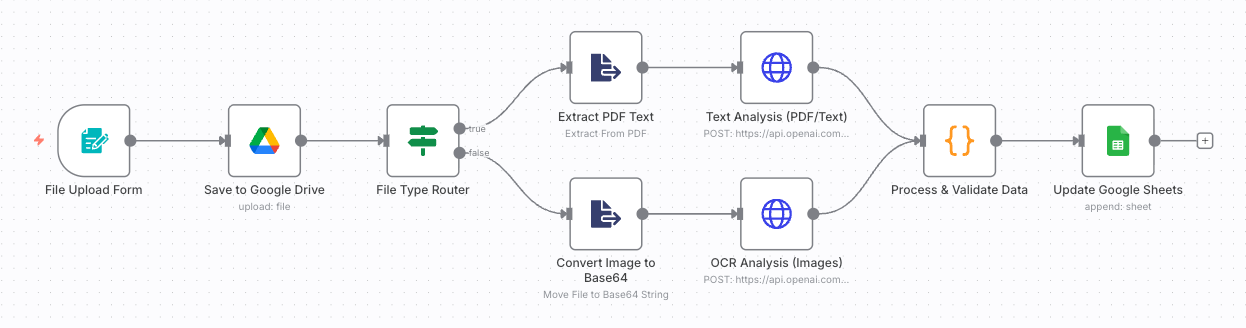
This workflow transforms manual receipt processing into an intelligent, automated system that handles everything from file upload to data extraction and storage:
Transform tedious receipt processing into a streamlined digital workflow! This automation eliminates manual data entry, reduces errors, and creates a comprehensive expense tracking system that saves hours of administrative work while ensuring accurate financial records.
Automate and optimize your workflow experience with our n8n Workflow Automation Services, enabling seamless integration, notifications, and follow-ups without manual coordination.
n8n WorkFlow Automation ServicesDiscover more automation templates to streamline your business processes

Transform business card images into structured contact data automatically. This n8n workflow uses AI...
View Template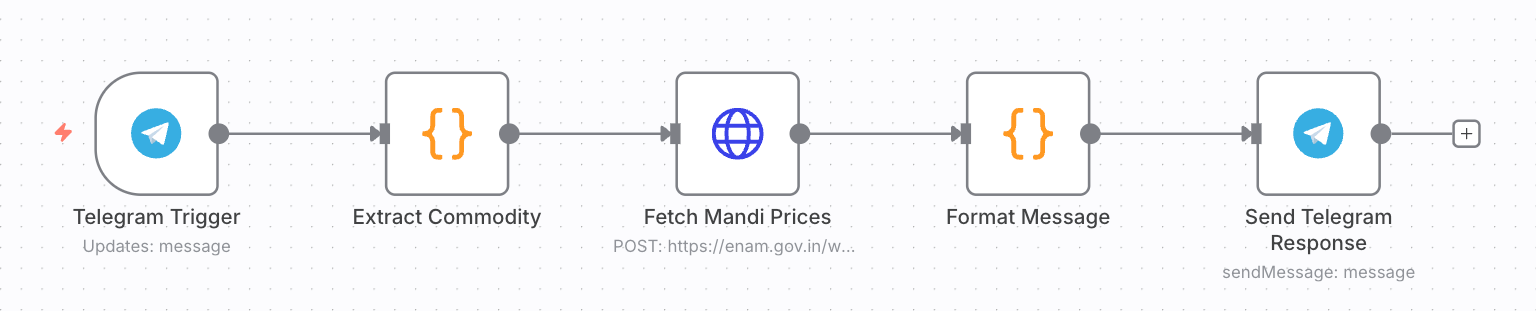
Instantly get real-time agricultural commodity prices from Indian mandis through Telegram. This n8n ...
View Template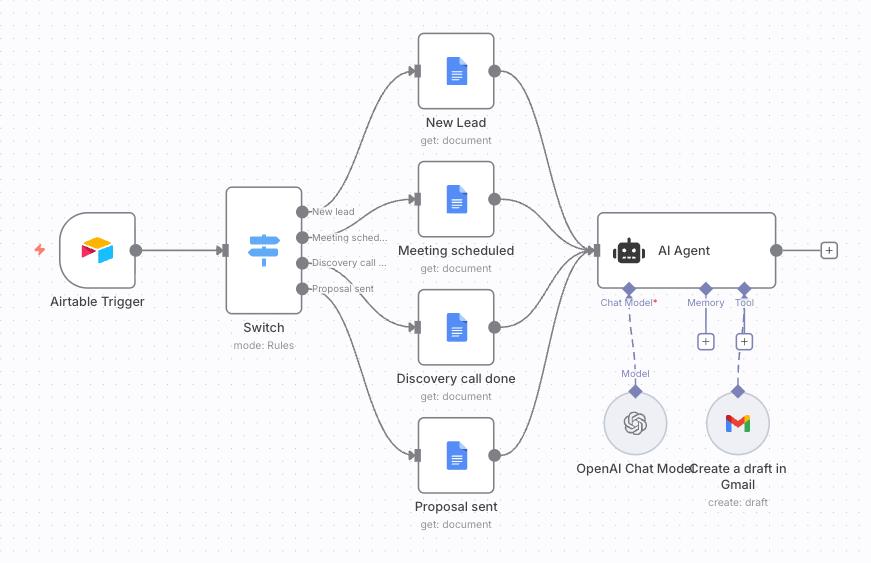
Automatically trigger personalized email campaigns based on lead status changes in Airtable. This n8...
View Template